No overwrites
If a name already exists, the new file gets a safe numbered name such as “photo (2).png”.
Spectral Colors · free Windows utility
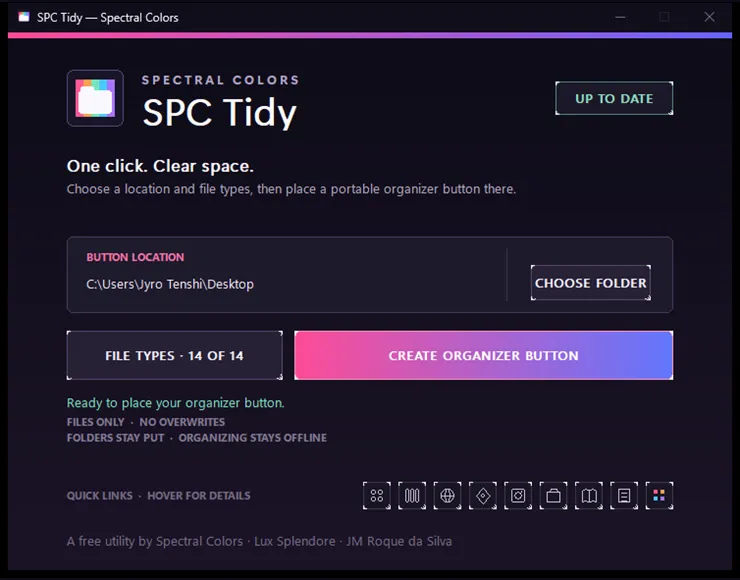
Put one tiny organizer button on your Desktop or in any folder. Click it whenever files pile up, choose the categories you want affected, and SPC Tidy sorts only those file types into clear folders that stay ready for next time.
Official Microsoft StoreGet it from MicrosoftWindows 10 / 11 · v0.1.4 · 2.1 MB · no account
How it works
The button organizes the folder that contains it and remembers its selected categories. Move or copy it somewhere else, and those choices travel with it.
Open SPC Tidy and choose your Desktop or any folder you want to keep clear.
Select which of the fourteen categories this organizer button is allowed to move.
SPC Tidy creates one portable button that remembers those choices wherever it goes.
Loose files move into clear category folders. New files join those same folders next time.
Calm by default
SPC Tidy does not delete files, inspect their contents, or upload their names. It simply moves loose files into predictable folders on the same drive.
If a name already exists, the new file gets a safe numbered name such as “photo (2).png”.
SPC Tidy moves loose files only. Your folders and their contents remain exactly where they are.
Temporary and partially downloaded files are ignored until they are ready.
No sign-in, telemetry, cloud storage, ads, or background process. The creator checks one tiny version file; your names, paths, and contents never leave the PC.
Everything in its place
Choose all of them or only the types you want affected. Folder names remain recognizable, with no dates or duplicate category folders.
A gift from Spectral Colors
SPC Tidy is free for personal and commercial use. No subscription, ads, account, or hidden upgrade — just a useful little button.
Good to know
Only loose files belonging to the categories selected when the button was created. Existing folders, unselected file types, hidden system items, incomplete downloads, and the organizer button stay where they are.
Yes. Create or copy the organizer button into any folder. It always organizes the folder that contains it.
Nothing from your folders. The creator reads one tiny version file from spectral-colors.com when it opens. Organizing itself remains completely local and works without internet.
This free release is not yet code-signed. Download it only from spectral-colors.com and use the SHA-256 checksum shown here if you want to verify the installer.