SPC Prism Q
The featherweight spectral EQ — dynamics and spectral effects on every point.
“An EQ point is not just a curve here — it can compress, and it can bend light.”
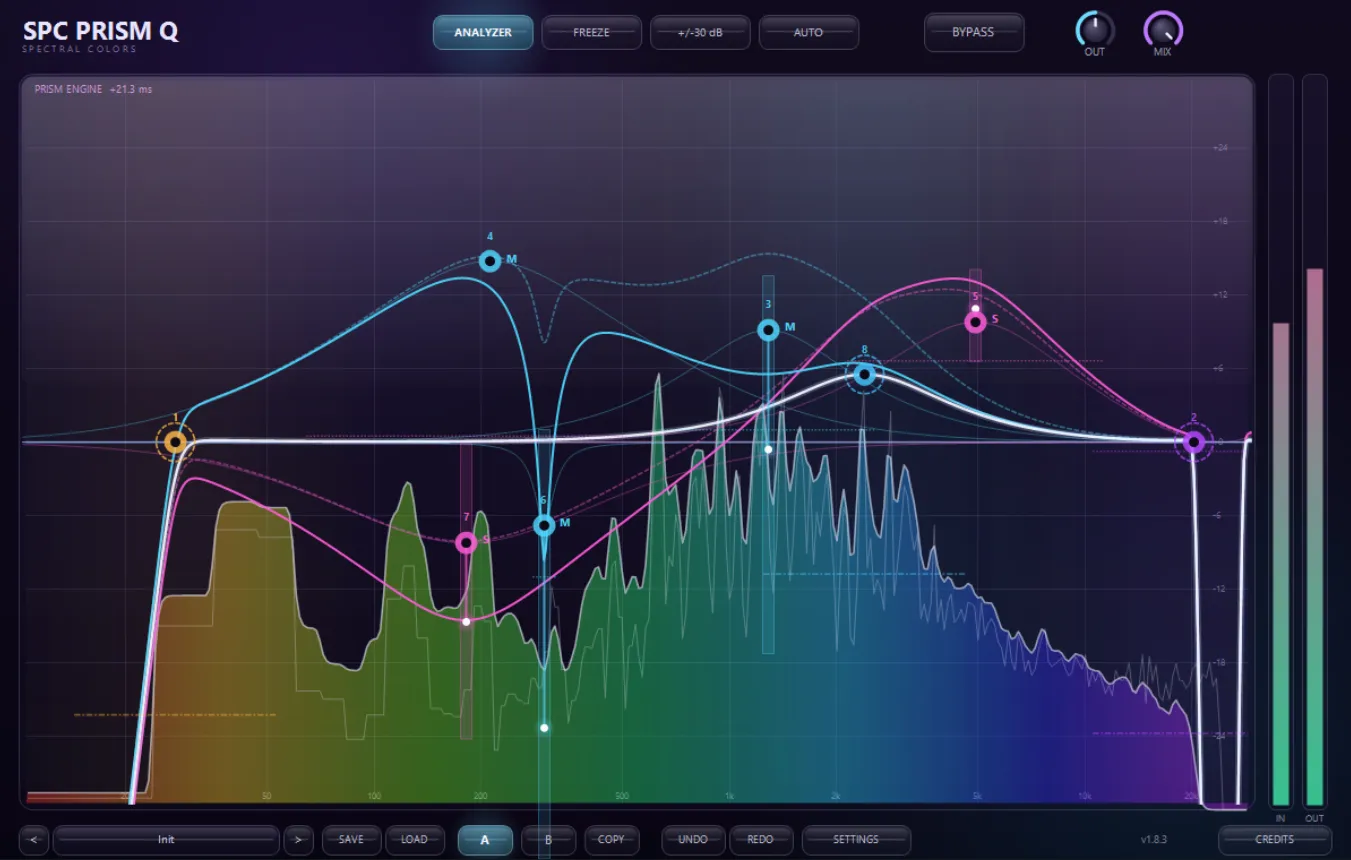
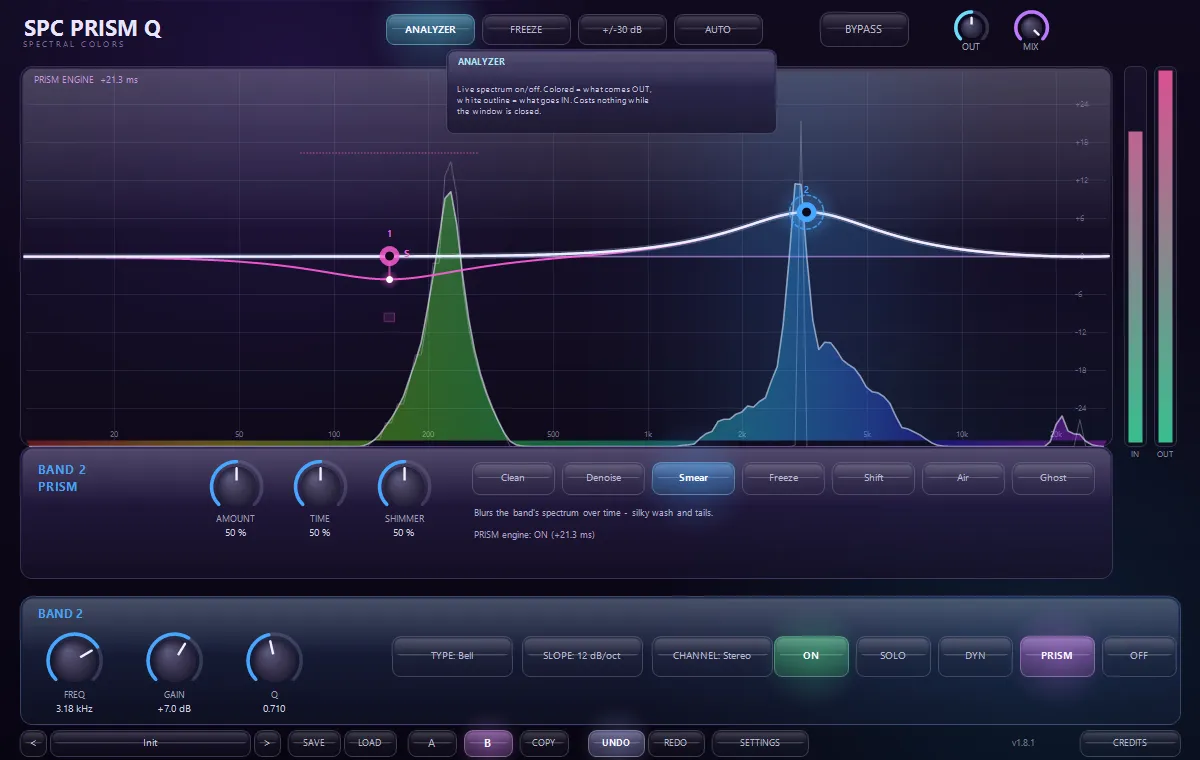
SPC Prism Q opens the new SPC line: Spectral Colors’ everyday tools, engineered to be light enough for every single track of a big session. At first touch it is a fast, beautiful parametric EQ — double-click the glass display and a rainbow-colored band appears, red for the lows climbing to violet for the highs, exactly like real light. Twenty-four bands, nine filter types, cut slopes to 96 dB per octave, and every band can live on Stereo, Mid, Side, Left or Right with its own colored curve. Then it goes deeper: press DYN on any point and that point becomes a dynamic EQ with five characters from clean digital to VCA, FET, Opto and a full OTT-style upward/downward mode — cuts even ride their own cutoff frequency like a classic auto-filter. Press PRISM and the special sauce appears: per-band spectral effects running on one shared engine — denoise a harsh vocal band, smear a pad into silk, freeze a texture, shift a resonance, add air that was never recorded, or summon a ghost of the sound underneath. Everything is played, not programmed: drag points, scroll for Q, right-click for options, hover anything for a built-in mini tutorial. And the whole time it stays honest: zero latency until a spectral mode asks for its engine, bit-exact transparency when flat, and a sleep mode that makes silent instances basically free.
Available now — a one-time purchase, yours to keep.
The first plugin of the SPC line
Light enough for every track. Deep enough for the one that matters.
Most EQs make you choose: the surgical one that eats your CPU, or the light one that can’t do anything. SPC Prism Q refuses the choice. Its engine follows one rule — you only pay for what you use. A disabled band costs nothing. A flat bell costs nothing. A silent instance goes to sleep and costs almost literally nothing. Put it on every channel of a hundred-track session and your laptop stays cool.
But select a point and press DYN, and that point starts listening — compressing only its own frequencies, with the character you choose, from transparent digital to FET snap to OTT crush. Press PRISM and the point starts bending light: six spectral effects that normally need a dedicated plugin each, focused exactly where your band sits.
Every claim is measured, not marketed. The benchmark below runs on every single release, and an automated suite of 130+ checks proves the sound never changed while the speed doubled.
Try it right here
This is the actual math.
A miniature of the Prism Q display running the plugin's real filter equations in your browser. Drag the rainbow points, scroll to make a band wider or narrower, double-click to add one, right-click to remove it. The liquid spectrum flows through your curve — and the SMEAR knob is a taste of the Prism spectral engine.
Highlights
- 24 bands · 9 filter types · slopes from 6 to 96 dB/oct
- Scientifically correct rainbow — red lows to violet highs, colors you can read
- Per-band DYNAMICS: Clean / VCA / FET / Opto / OTT characters, auto threshold
- Dynamic cuts ride their own cutoff — an auto-filter on every cut point
- Per-band PRISM spectral effects: Denoise, Smear, Freeze, Shift, Air, Ghost
- Per-channel bands — Stereo, Mid, Side, Left, Right, each with its own curve line
- 2x / 4x oversampling with separate live and render settings
- Hover hints on every control — no tutorial needed, just hover and read
- GPU-accelerated display, liquid rainbow spectrum, undo/redo, A/B, custom presets
- Zero latency (EQ + dynamics) — the spectral engine only wakes when asked
At a glance
- Format
- CLAP audio effect (x64)
- OS
- Windows 10 / 11
- Host
- Any CLAP host — FL Studio 21.2+, Bitwig, Reaper…
- Version
- 1.11.1
- Latency
- 0 samples · 1024 only while a Prism mode is active
- Transparency
- Flat curve nulls at −229 dB — bit-exact
Benchmarked on every release
Measured performance — not marketing.
| Scenario | Cost per block | Instances per CPU core |
|---|---|---|
| Typical mix EQ — 5 bells | 15 µs | ~700 |
| Heavy — all 24 bands + steep cuts | 71 µs | ~150 |
| 5 bells, dynamics riding on 4 | 27 µs | ~400 |
| Oversampling 2x | 67 µs | ~160 |
| Oversampling 4x | 156 µs | ~68 |
| Idle instance — no bands, audio playing | ~4 µs | ~2,800 |
| Sleeping instance — true silence | ~1.3 µs | ~8,000 |
Measured per 512-sample block at 48 kHz on a single CPU core (the realtime budget is 10,667 µs per block). The benchmark loads the plugin exactly the way a DAW does and streams real audio through it — it runs on every release, and null tests prove the optimizations never changed the sound by even one bit.
Latest updates
Actively developed — recent fixes and improvements:
- Housekeeping — loading a project now reliably refreshes the display (clean state restore). No sound change.
- Theme Pack — 11 more console themes join the originals: Dark, Cyberpunk, Candy, Spectrum, Black & Gold, Lapis Lazuli, Pink, Sand, Retro, Terminal, Game Boy and the new Shadow Purple (SETTINGS → UI THEME).
- Six UI themes — Purple, Black, White, Light, Candy Pink and Terminal (SETTINGS → UI THEME); the frequency rainbow stays scientifically true in every one
- Presets no longer reset your preferences — theme, performance mode, oversampling, GPU, hints and zoom all survive preset browsing
- The SPC family emblem — an animated rotating rainbow burst — now lives beside the title, like on SPC Rogue FX
- Couture polish: gradient-lit wordmark, a living rainbow hairline under the header, machined knob rims with glass highlights, edge-lit display
- Visual polish: steep cut curves now end with a clean cut-off at the display edge instead of spilling past the rainbow line
- Store release — secure account + key activation (verified offline after the first unlock, no internet needed to make music)
- The big performance pass — three measured optimization rounds: typical EQ use now ~2x faster, oversampling 3–4x faster, sound bit-for-bit identical
- Hover hints on every control — dynamics characters, Prism modes, settings switches: hover and read, no tutorial needed
- The display now blooms to full height when no point is selected
- Scientifically correct rainbow: red = low frequencies, violet = high
- Your saved presets now appear inside the categorized preset menu
- Version number shown in the plugin
- Settings menu, hover mini-tutorials, per-channel curve lines (Mid, Side, Left, Right in their own colors)
- GPU-accelerated display mode — on by default
- 2x/4x oversampling with separate live and render settings
- Performance modes, liquid rainbow spectrum, 26 factory presets in a categorized menu
Learn the technique
Not sure if this is the tool you need?
These free guides explain the job SPC Prism Q does — read them first, then decide. No sign-up, no video, just the technique.
Made to be played
Every knob morphs the sound.
SPC Prism Q is built for real-time sound design. Turn a control and the whole signal reacts at once — spectral colour, granular texture and modulation respond live, right in your DAW. Nothing is baked in: every parameter is fully automatable and MIDI-mappable, so you can draw evolving movement, morph a vector-scope signal, and lock in a one-of-a-kind sound no preset could give you.
Get SPC Prism QInside the plugin
Click any image to enlarge.