Vocal Mixing
Why do my vocals sound muddy? Diagnose the cause before EQ
On this page9 sections
A muddy vocal feels cloudy, congested or hard to understand even when it is loud enough. The common reaction is to reach for an EQ preset and cut one famous low-mid frequency. Sometimes that helps. Often it makes the singer thin while the actual source of the mud remains.
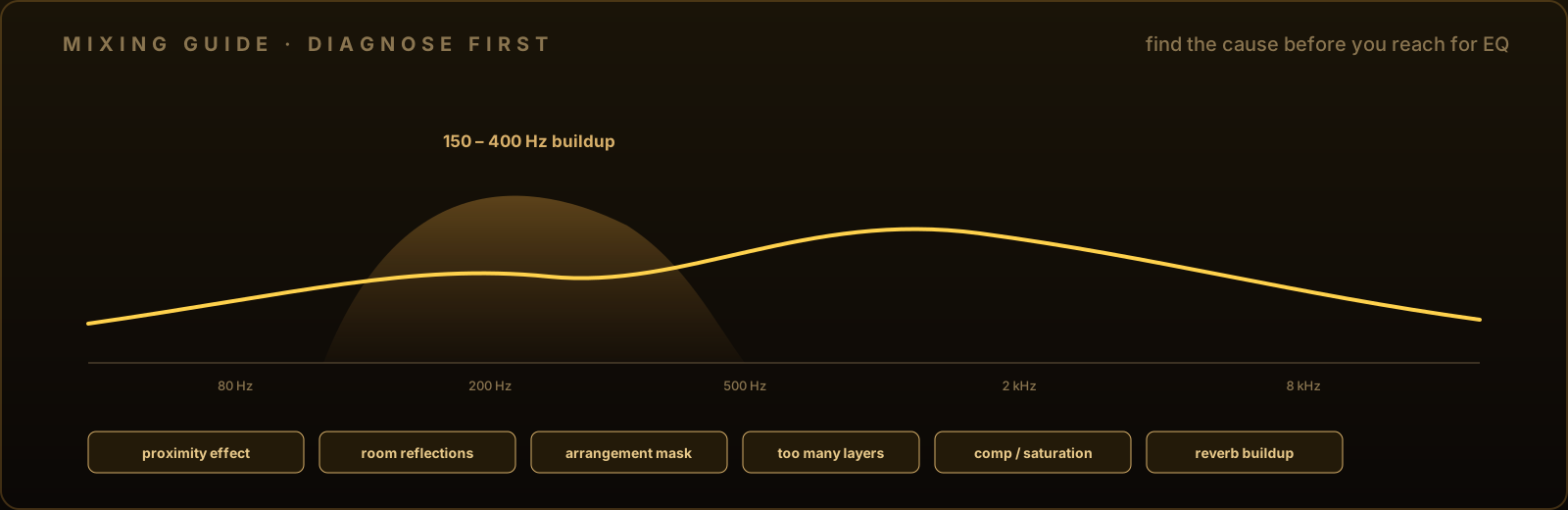
Mud is a relationship between spectrum, time and arrangement—not one universal number. Diagnose where it enters the chain, then choose the smallest fix.
The 60-second diagnosis
- Bypass the vocal effects and listen to the dry recording.
- Compare the vocal in solo and inside the mix.
- Check a close phrase against a phrase sung farther from the microphone.
- Mute doubles, harmonies and the reverb return one at a time.
- Level-match any compressor or saturator when bypassing it.
If the dry solo vocal is muddy, begin with recording or tonal balance. If it becomes muddy only with the instrumental, investigate masking. If it changes only after processing, the chain has identified itself.

Cause 1: proximity effect
Directional microphones can boost bass as the source moves closer. This proximity effect can be useful for weight, but an inconsistent singer-to-mic distance can make some phrases much boomier than others.
For a future recording, test distance before reaching for a plugin. A pop filter can help the singer maintain position, and moving slightly off-axis can reduce plosive blasts. Shure’s recording guidance gives roughly 6–12 inches as a common starting region for voice, but the microphone and room still decide the best position.
For an existing take, use clip gain or a dynamic EQ band on the occasional bloom rather than hollowing out the entire performance.
Cause 2: room reflections and background sound
An untreated reflective room adds short echoes and colored resonances. Heavy compression can then bring that room sound forward between words. Noise reduction may reduce steady noise, but it cannot turn a poor recording space into a close, clean vocal without tradeoffs.
Check the dry tail after each phrase. If you hear the room, address what you can before tonal EQ: edit silent regions, use careful expansion or gating, and avoid compression settings that exaggerate the decay.
Cause 3: arrangement masking
The vocal may be fine alone but covered by guitars, keys, pads or bass that occupy the same area. Cutting more vocal can make it less intelligible.
Turn competing instruments down briefly. If the vocal clears, create space at the source: change the arrangement, pan appropriate parts, adjust their octaves or remove a small amount from the competing instrument. A sidechain-triggered dynamic EQ can make that space only while the vocal is present.
Cause 4: too many vocal layers
Doubles and harmonies add thickness, but similar timing and tone also add energy. High-pass or darken supporting layers where appropriate, reduce their level, tighten timing, and keep the lead responsible for clarity.
Do not process every layer identically. The lead, double, harmony and ad-lib serve different roles.
Cause 5: compression and saturation
Compression can increase average density and reveal room tone, breaths and sustained low mids. Saturation can add harmonics that make an already crowded region feel thicker.
Match output level when bypassing. Louder often sounds better for a moment, which hides the cost. If bypass is clearer, use less gain reduction, adjust attack and release, automate level before compression, or move a corrective EQ before the processor.
Cause 6: reverb and delay buildup
Long decays overlap the next phrase. Dark reverbs can collect low-mid energy, while short delays can resemble room reflections.
Use reverb on an aux return so its level and tone are independent. Try more pre-delay for separation, a shorter decay, and filtering on the return. Mute the return: if clarity comes back instantly, do not cut the dry vocal first.
Choose the right EQ move
Once you have isolated a tonal problem:
- use a high-pass filter only for low-frequency content that is not part of the useful voice;
- use a broad static cut for a consistent tonal excess;
- use a dynamic EQ band for buildup that appears on selected notes, vowels or distances;
- reduce a competing instrument when the vocal is being masked;
- process the reverb return when the effect, not the dry vocal, is muddy.
Sweep gently and listen in context. Frequency charts can suggest where to look, but they cannot know the singer or song.
A clean stopping point
The fix is finished when the words are clear at the intended vocal level and the singer still sounds natural. If clarity requires a deep collection of notches, revisit the recording and arrangement.
SPC Vox places MUD, TAME, DENOISE, COMP and tone modules in one vocal-focused chain with a shared analysis engine. SPC Prism Q is the more surgical option for individual static and dynamic EQ bands. Use either after the diagnosis, not instead of it.
Frequently asked questions
What frequency makes vocals sound muddy?
There is no universal muddy-vocal frequency. Mud is commonly perceived in the low-mid area, but the exact problem depends on the singer, note, microphone, distance, room and arrangement. Sweep and compare in context instead of applying a fixed preset.
Should I high-pass every vocal?
No. Use a high-pass filter when the recording contains low-frequency energy that does not contribute musically. Raise it while listening in context and stop before the voice loses useful weight.
Can compression make a vocal muddy?
Yes. Compression can raise room tone, breaths and sustained low-mid energy between peaks, especially with heavy gain reduction or makeup gain. Level-match bypass and adjust the recording, timing or amount before adding more EQ.
Can reverb make vocals muddy?
Yes. A long, dark or unfiltered reverb can overlap phrases and mask the dry voice. Using an aux return, adding pre-delay, shortening decay and filtering the reverb return can improve separation.